


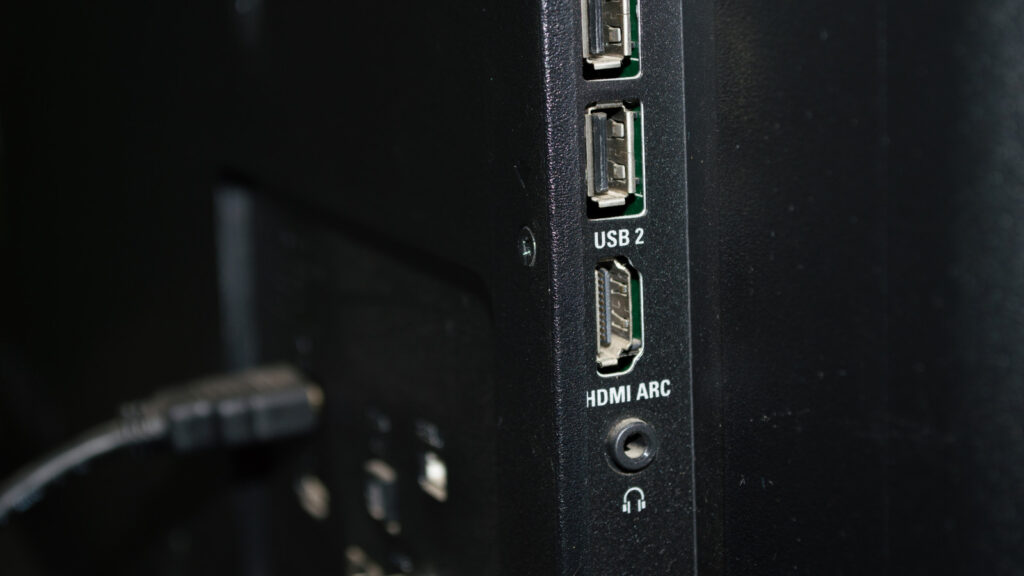
When setting up a Roku device, many users find themselves pondering which HDMI port on their television to use. This decision, while seemingly minor, can have a significant impact on your streaming experience. As modern TVs offer multiple HDMI ports, each with different capabilities, understanding these distinctions can enhance video and audio quality, ensuring you get the most out of your Roku streaming device.
Understanding HDMI Ports
High-Definition Multimedia Interface (HDMI) ports serve as the gateway for both audio and video signals from your Roku device to your television. However, not all HDMI ports are created equal. Many modern TVs come equipped with HDMI ports of varying specifications, such as HDMI 1.4, HDMI 2.0, and HDMI 2.1. Each version supports different features and capabilities.
- HDMI 1.4: Typically found on older TVs, this version supports resolutions up to 4K at 30Hz. It offers basic audio capabilities but lacks support for advanced features such as HDR (High Dynamic Range).
- HDMI 2.0: More common in televisions released over the last several years, HDMI 2.0 supports 4K resolution at 60Hz and offers richer color compression, making it a solid choice for most Roku devices.
- HDMI 2.1: The latest in HDMI technology, HDMI 2.1 supports higher resolutions like 8K at 60Hz and 4K at 120Hz. It also includes features such as eARC (Enhanced Audio Return Channel) and improved HDR capabilities, ideal for those using the most advanced Roku devices for a premium streaming experience.
Choosing the Right HDMI Port for Your Roku
The choice of HDMI port depends largely on the specifications of both your television and your Roku device. Here are some considerations to keep in mind:
Compatibility and Performance
To achieve the best compatibility and performance, it’s crucial to match the HDMI version of your TV with the capabilities of your Roku device. If you have a 4K capable Roku, an HDMI 2.0 port is typically sufficient for a robust performance, offering a seamless streaming experience with vibrant picture quality and synchronized audio. However, if you have invested in the latest top-tier Roku models, such as those supporting Dolby Vision or HDR10+, connecting through an HDMI 2.1 port will unlock these advanced features.
Audio Considerations
If your setup includes a surround sound system or a soundbar connected via HDMI ARC or eARC, using an HDMI 2.1 port can enhance your audio experience greatly. This setup ensures that you maximize your Roku’s audio capabilities, providing immersive sound through enhanced audio codecs.
Additional Tips for Optimizing Your Roku Experience
Understanding and selecting the right HDMI port is just one piece of optimizing your Roku setup. Here are additional steps to further enhance your experience:
- Use High-Quality Cables: Invest in high-quality HDMI cables that support the required bandwidth of your chosen HDMI port. This ensures the transmission of high-definition audio and video without interruptions.
- Configure Settings: Dive into your TV and Roku settings to ensure that they are configured to output the best possible resolution and sound quality. For instance, ensure HDR and Dolby Vision settings are activated if supported.
- Software Updates: Regularly check for software updates on both your TV and Roku device. Manufacturers often release updates that can improve compatibility and performance.
- Network Connection: A strong, stable internet connection is essential for streaming. Consider using a wired connection if possible, or ensure your Wi-Fi is optimized for the best performance.
In today’s dynamic digital landscape, taking the time to understand the technical specifications and setup of your home entertainment system can drastically enhance your viewing experience. By carefully selecting your HDMI port and considering other optimization strategies, you can fully harness the power of your Roku device, ensuring that every movie night or binge-watching session delivers top-tier quality and enjoyment. Embrace these insights to transform your regular TV watching into an extraordinary media experience.
, image: https://www.bgr.com/2054077/what-hdmi-port-should-roku-use/