 Vanda Svobodova
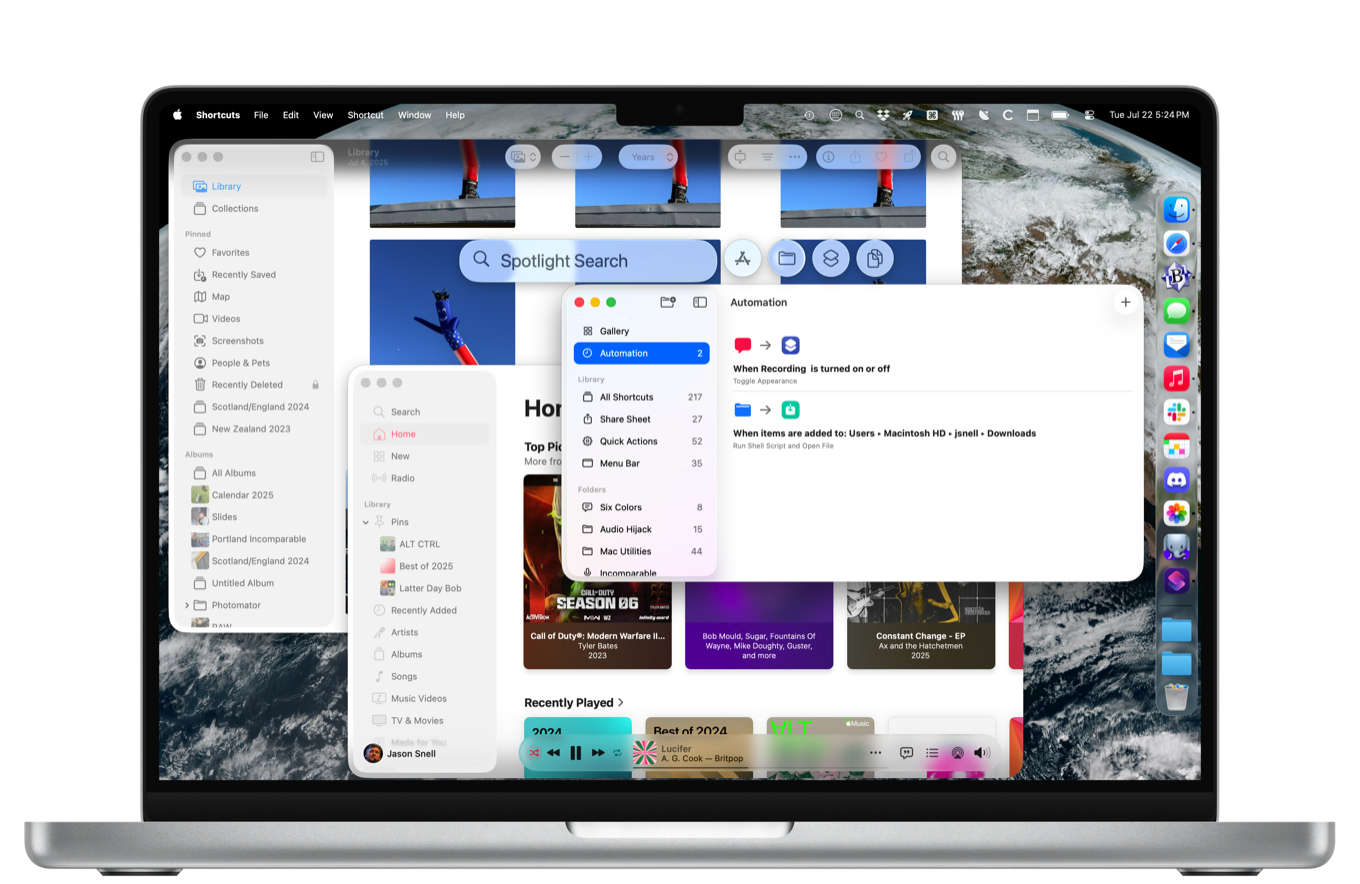
Apple has unveiled the public beta for macOS Tahoe, offering users a firsthand glimpse into the software’s transformative features. As technology enthusiasts delve into this latest iteration, it promises a blend of aesthetic upgrades and functional enhancements that mark a significant evolution in macOS’s journey.
A Fresh Interface
The visual overhaul of macOS Tahoe is immediately apparent to users. The interface has taken a leap forward in elegance and functionality, with a cleaner design that enhances user interaction while maintaining the familiar macOS aesthetic. Notable changes include refined iconography and a more cohesive color palette, both of which enhance the operating system’s overall appeal.
Redesigned Widgets
One of the standout features of macOS Tahoe is the revamped Widgets system, now more integrated and customizable than ever before. Users can resize widgets, placing them strategically on desktops for quick access to information and controls. The flexibility allows for a more personalized and productive user experience, catering to varied needs and preferences.
Enhanced Multitasking Capabilities
Multitasking receives a significant boost with macOS Tahoe, offering professionals and casual users alike a more fluid workflow. The introduction of Stage Manager is a game-changer, providing an intuitive way to organize windows and applications. This feature is designed to keep open apps neatly arranged, reducing clutter and boosting productivity seamlessly.
Splitting and Grouping Apps
Another invaluable addition is the ability to split screen and group applications, allowing users to work across multiple apps simultaneously with ease. This enhances the multitasking experience by providing more control and efficiency for managing tasks. Whether editing documents or browsing the web, macOS Tahoe ensures users have the tools they need right at their fingertips.
Privacy and Security
In an era where digital privacy is paramount, Apple continues its strides with macOS Tahoe, fortifying security measures. The system introduces a robust set of encryptions and user protections, ensuring data safety. New privacy settings enhance user control over data permissions, providing peace of mind without sacrificing usability.
Notification Enhancements
The notification system also sees improvements, designed to reduce distractions while keeping users informed. With intelligent grouping and delivery options, users can focus more on important notifications and less on noise. These enhancements make for a more streamlined and efficient communication system.
As the public beta unfolds, macOS Tahoe is set to redefine user expectations with its sleek design and functional prowess. By addressing essential multitasking needs, privacy concerns, and delivering a refined user interface, Apple once again positions macOS as a leading choice for both personal and professional environments.
, image: https://sixcolors.com/post/2025/07/first-look-macos-tahoe-public-beta/